

Member dues
Everything there is to know about dues 🙂
Blueprint membership dues are a flex system, meaning each member pays what they want (within a range):
- Our “general” dues amount is $45 / month
- Feel free to go as low as $10 / month, no strings!
- (and we can also slide more, if needed/requested!)
For one set of dues, you can participate in as many ensembles as you would like to!
For new members, dues are applicable starting the month you participate in your second rehearsal.
If you take a break for a season (eg. the summer), you are still a member and dues are still due, but they drop to the minimum ($10 per month).
Dues are due on the 1st of the month for that month, and need to be paid via Venmo scheduled monthly recurring payment (exceptions in notes below).
Please email any questions to dues@blueprintarts.org.
Set up your Venmo Recurring Payment:
- Set up Venmo on your phone (if it isn’t already)
- Download the Venmo app to your phone [Apple App Store] [Google Play Store]
- Open the app, create your Venmo account
- Link a payment method
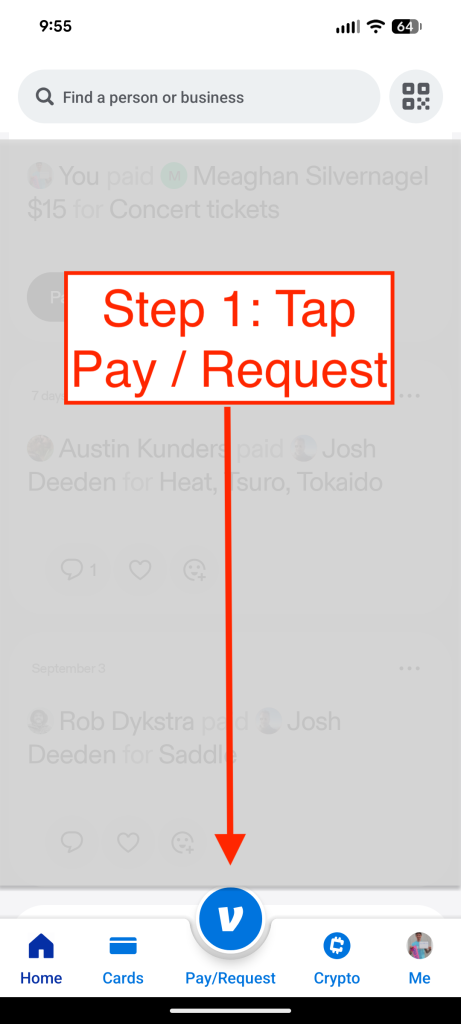
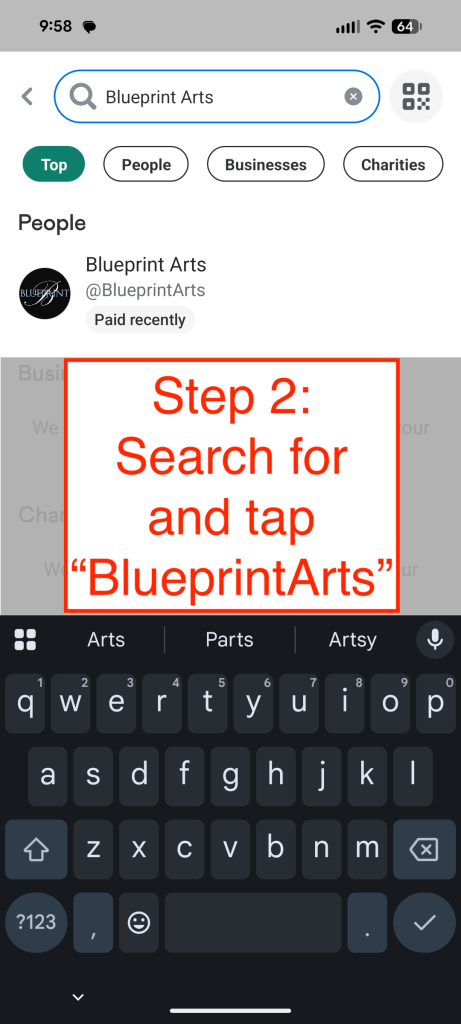
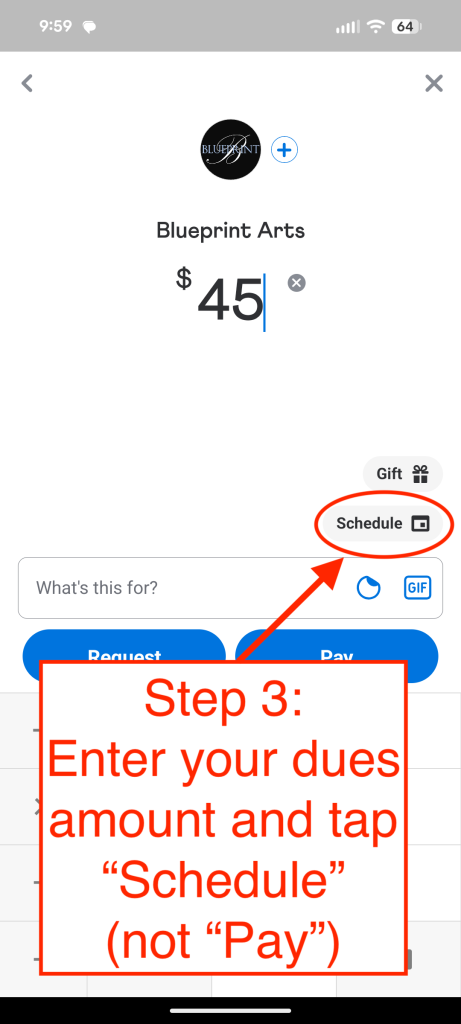
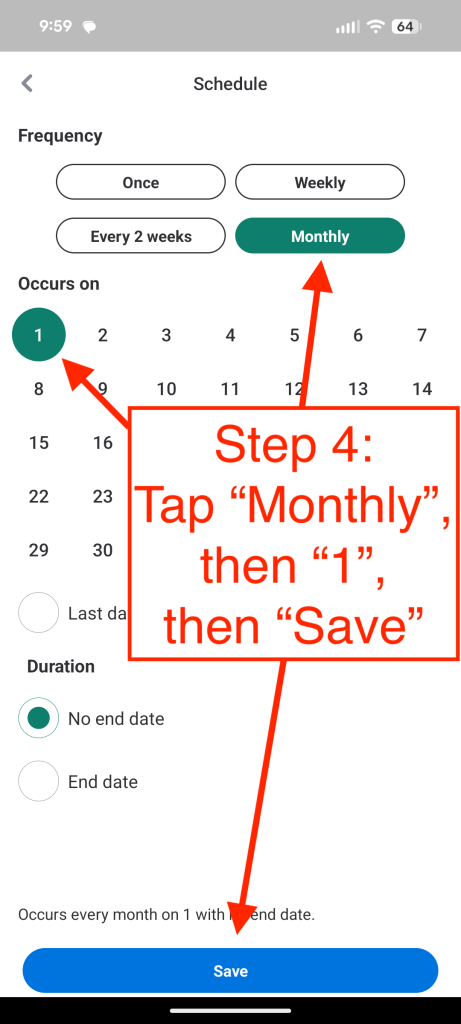
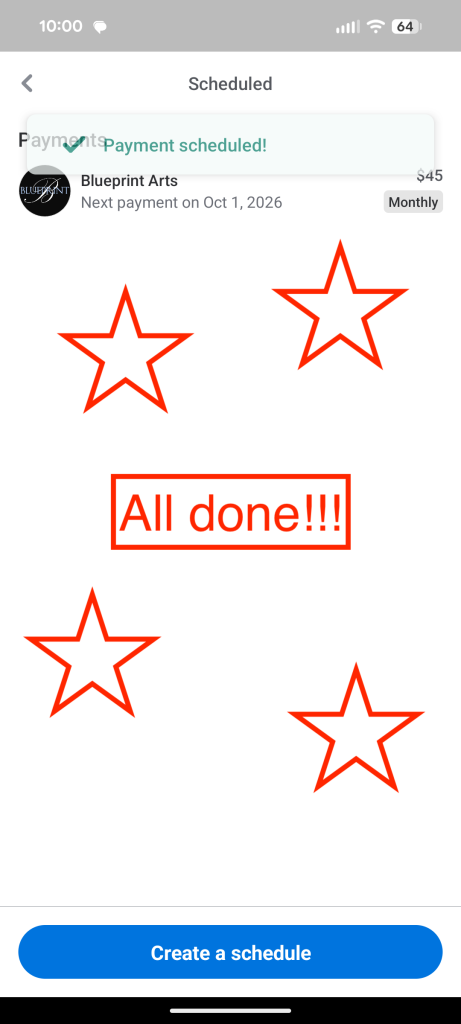
- Set up your monthly dues payment (scroll down for visual instructions)
- Tap Pay / Request, search for and select BlueprintArts or tap here.
- Enter your monthly dues amount
- Tap “Schedule” (not “Pay”)
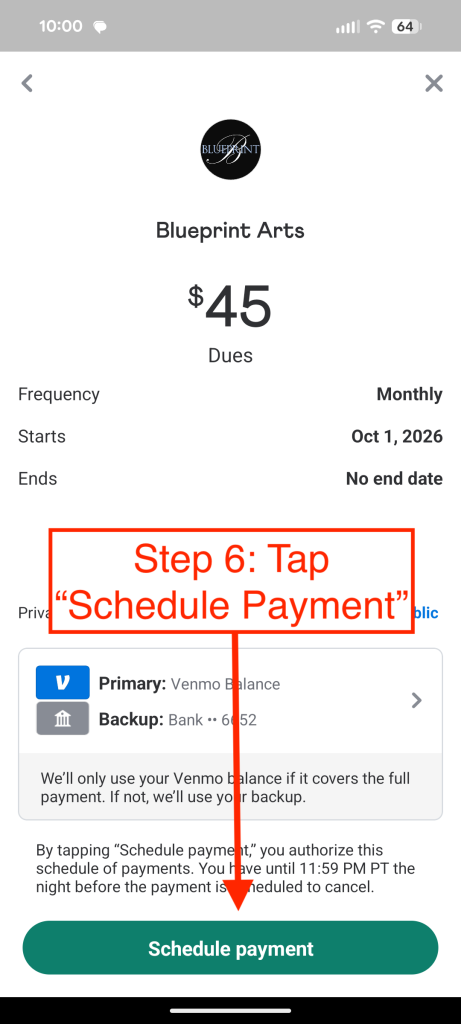
- Tap “Monthly“, Occurs on the first of the month, tap Save
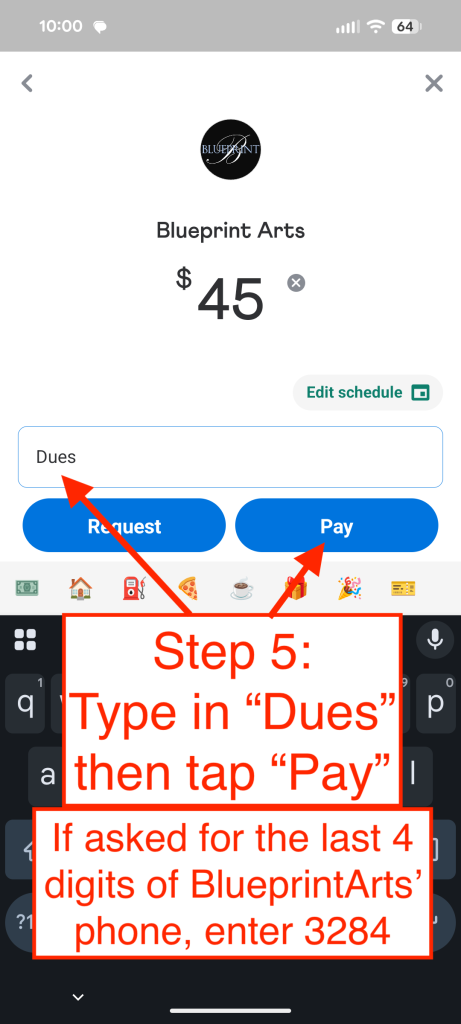
- Enter “dues” for “What’s this for?”, then tap Pay
- If it asks for the last 4 digits of the associated phone number, enter 3284
Tap for visual instructions
Notes:
- If your Venmo payment method is credit card, you pay a fee, but not if you pay via debit card or bank account.
- You need to set up your scheduled payment from the app (not via a web browser on your computer).
- If paying dues via Venmo is a problem for you, you may pay via cash or check in the box in the rehearsal space. Please pay a full season or year at a time and clearly label your payment with your name and which months it covers.
Change your Monthly Dues Amount
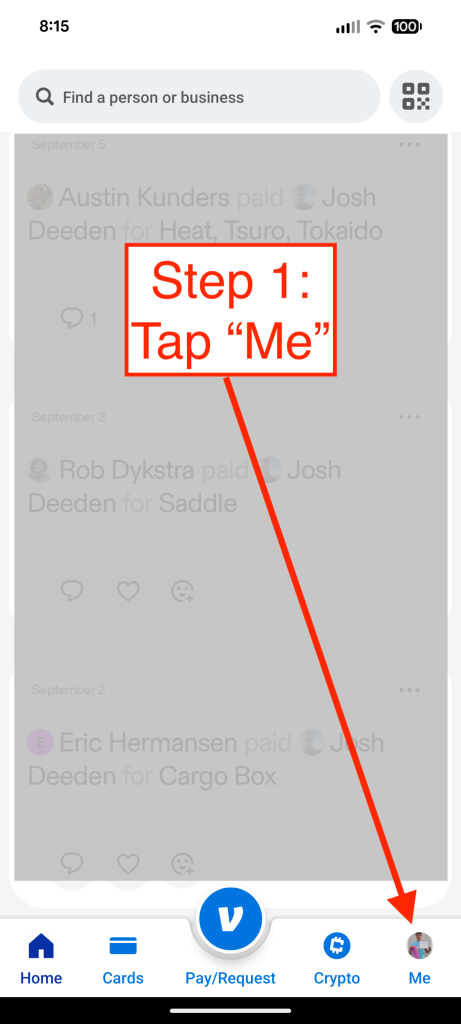
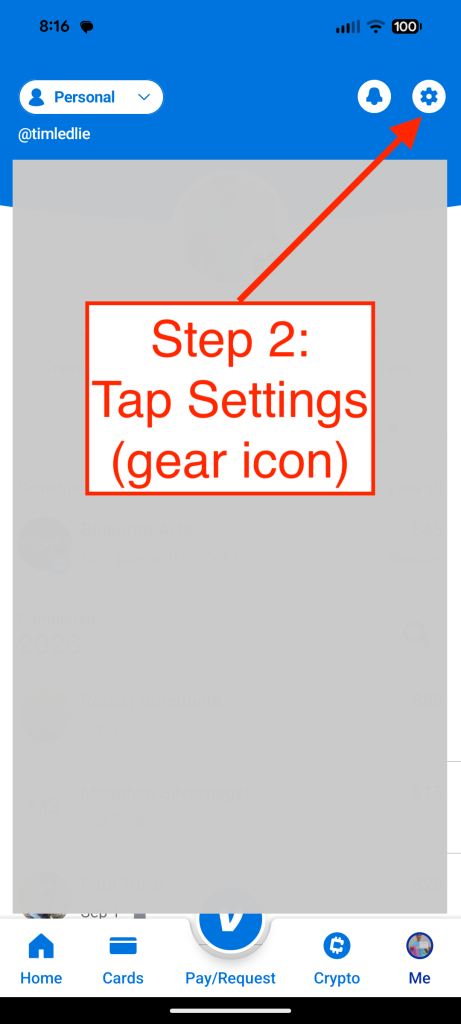
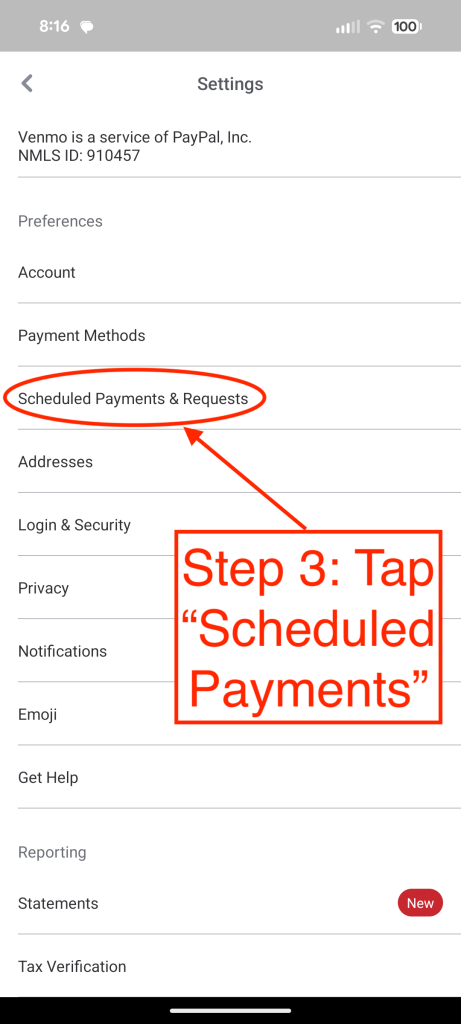
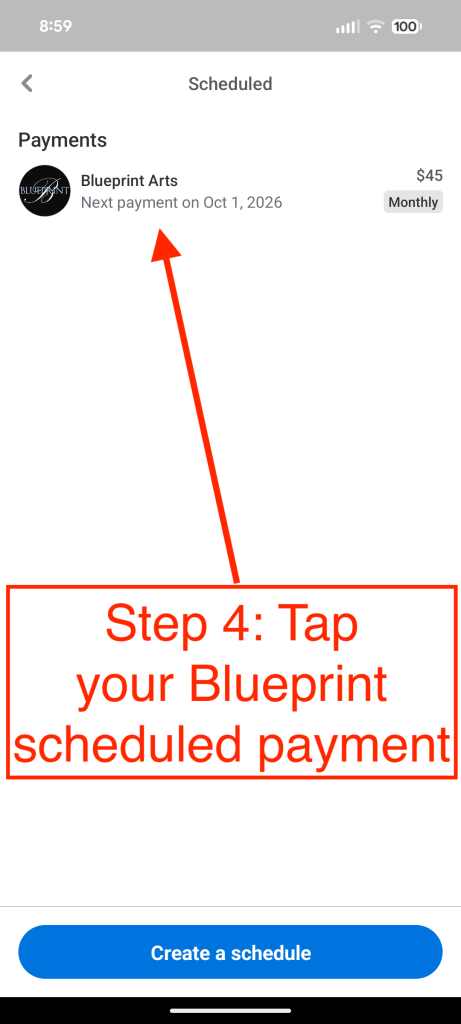
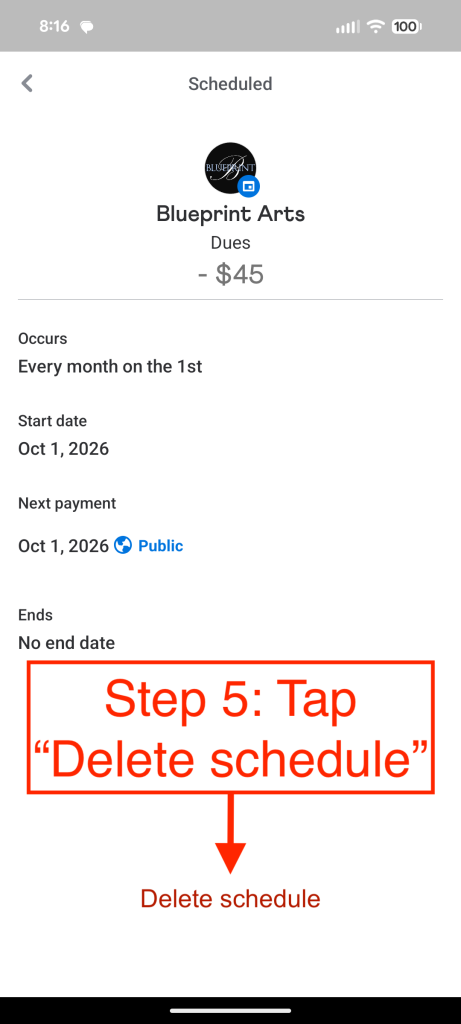
If you are taking a season off or otherwise want to change your dues amount, delete your scheduled payment and create a new one (scroll down for visual instructions):
- Tap Me (bottom right), the gear icon (top right), then “Scheduled Payments“
- Tap your Blueprint scheduled payment, scroll to the bottom, tap “Delete schedule“
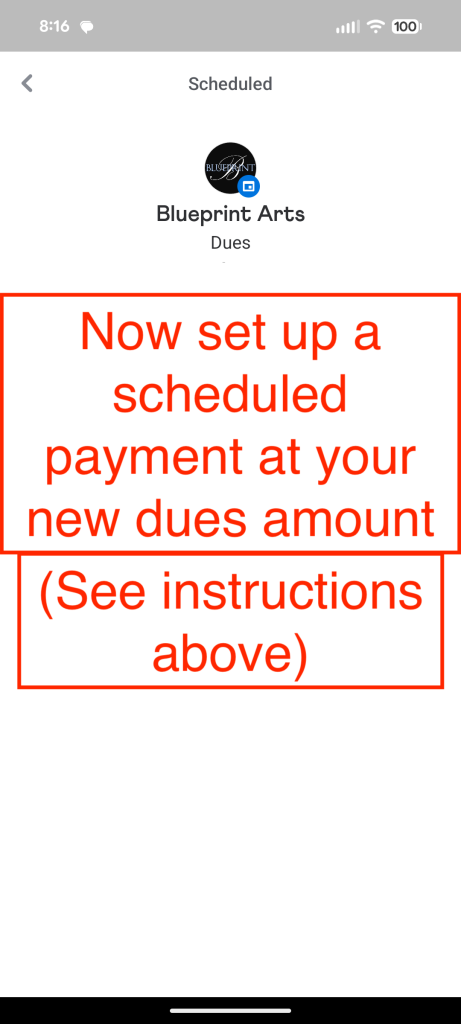
- Create a new scheduled payment with your new dues amount (see instructions above).
Tap for visual instructions
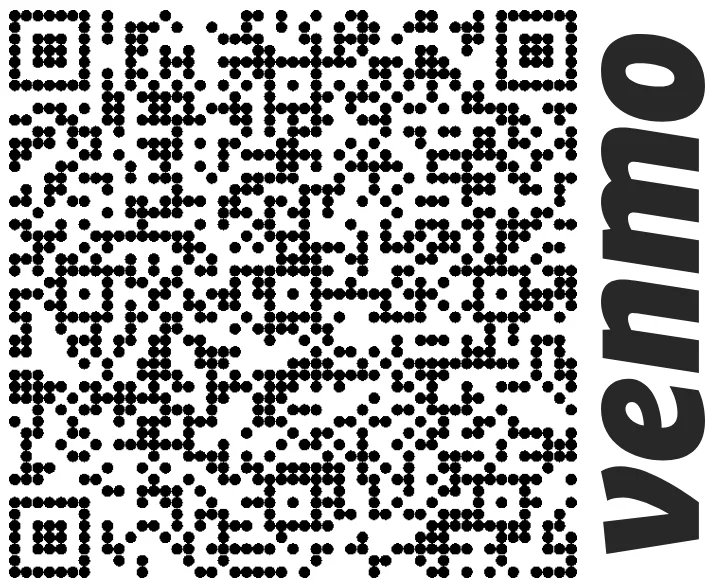
Blueprint’s Venmo QR Code
For quicker payment, tap here from your phone or scan the QR code:
Cancel your PayPal Recurring Payment
If you previously paid via a PayPal recurring payment, cancel it via either the PayPal website or the PayPal app:
On the PayPal website:
- Log into your account
- Click the gear icon (Settings) in the top-right corner.
- Click Payments in the menu.
- Select Manage Automatic Payments (or Subscriptions).
- Cancel the Blueprint payment
On the PayPal mobile app:
- Open the PayPal app and tap your profile icon or the settings gear.
- Tap Payments.
- Tap Manage Automatic Payments (or Subscriptions or Linked Businesses).
- Cancel the Blueprint payment.


